A smart plug is one of the few home automations that pays for itself without a subscription. It can turn a lamp into a sunset signal, stop a charger from sipping power all night, and show which appliance is quietly costing money. It can also overload a circuit if you treat it like a universal adapter.
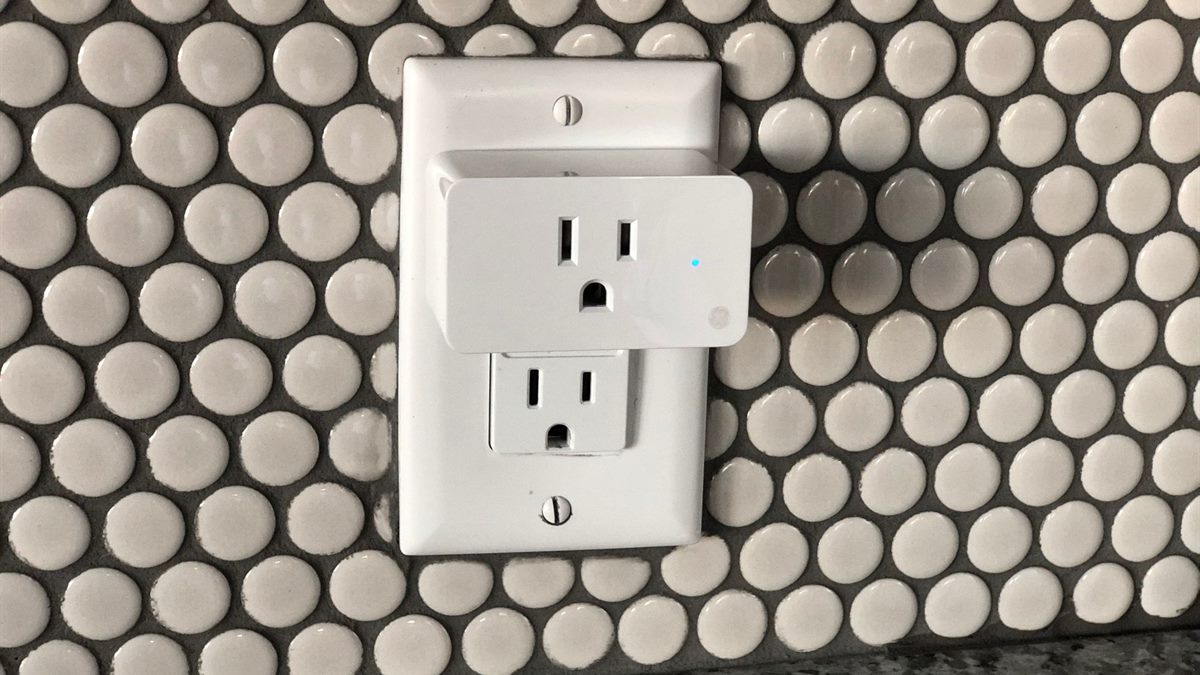
What a smart plug can and cannot switch
A smart plug switches mains power. It cannot dim a lamp, change a fan speed, or talk to a device that needs a data connection. Its rating tells you the maximum current and wattage it can handle, and that rating is the first thing to check.
Resistive loads such as lamps and heaters behave differently from motors and chargers. A plug rated for 10 A may be fine with a 1,000 W lamp and wrong for a 2,000 W space heater. If the appliance has a motor or a heating element, use a plug explicitly rated for that load or leave it alone.
Build one schedule before ten automations
Start with a single schedule that solves a real annoyance: the living-room lamp at sunset, the router reboot once a month, or the charger off at midnight. Run it for a week before adding another. A routine that misfires is easier to debug when it is the only one.
Name the plug after the device, not the room, and put the room in the group. "Desk lamp" is clearer than "Plug 3" when you are standing in the dark. If the app supports scenes, keep them few and obvious.
Use energy monitoring to find standby loads
Plugs with metering show watts and cumulative energy. Use them as a temporary diagnostic: plug in the television, the console, or the desktop for a day and read the standby draw. A device that uses 20 W around the clock is worth switching off; one that uses half a watt is not.
Do not leave every appliance on a metered plug forever. The measurement is the useful part; once you know the number, a simple schedule or a switched strip may do the same job with less hardware.
Keep critical devices on ordinary power
Some devices should never lose power on a schedule: medical equipment, security systems, routers that serve a home office, and anything with a clock that takes an hour to reset. A smart plug adds a failure point between the wall and the device.
If you must automate a router or a modem, use a schedule you can disable remotely and keep the plug on a separate network path. A plug that can only be reached through the router it controls is a trap.
Watch the heat and the firmware
Touch the plug after a few hours under load. Warm is normal; hot is not. Keep plugs out of enclosed cabinets and away from curtains, and do not stack two plugs in one outlet if the housings press together. Heat is the failure mode that matters.
Register the plug in its app, enable automatic firmware updates, and change the default password if the app allows a local account. The ENERGY STAR product database is a useful starting point when you compare efficiency claims for appliances the plug will control.
Rehearse the failure
Unplug the hub or turn off the Wi-Fi for ten minutes. Which routines keep running? Which lights stay on? A schedule stored in the cloud may stop; a local schedule may continue. Knowing the answer before a storm is better than discovering it during one.
Keep at least one lamp on a manual switch and one charger on a normal outlet. The point of automation is to remove small chores, not to make the room unusable when the app is down.
Smart plug routine checklist
- Match the plug rating to the appliance, especially heaters and motors.
- Run one schedule for a week before adding another.
- Use metering temporarily to find real standby loads.
- Keep critical devices off scheduled power.
- Check heat, update firmware, and rehearse an offline failure.
If you are still choosing the controller for these plugs, start with smart home hub first so the routines survive a change of app.
Frequently asked questions
Can a smart plug save money on its own?
Only if it switches a real load. Metering helps you find standby draw, and schedules can stop unnecessary charging or lighting, but the saving depends on the appliance and your tariff.
Can I use a smart plug with a space heater?
Only if the plug is explicitly rated for the heater’s wattage and current, and the manufacturer allows it. Many smart plugs are not rated for continuous high-load heating appliances.
Do smart plugs work during an internet outage?
It depends on the model. Local schedules stored on a hub may keep running, while cloud-only plugs may stop responding. Test the failure mode before relying on one.
Why does my smart plug feel warm?
A little warmth is normal under load. If it is hot to the touch, smells of plastic, or discolours, stop using it and replace it. Check the load rating and the outlet connection.
Read next
Start a Smart Home With One Hub, Not Ten Apps
The first smart home purchase is not a bulb. It is the controller that decides whether your devices speak to each other or to ten separate apps.