A smart home grows in the wrong order for most people: one bulb, then a plug, then a camera from a different brand, and suddenly the phone has five apps and no single routine that works every day. The hub is the decision that prevents that. Choose it before the devices, not after.
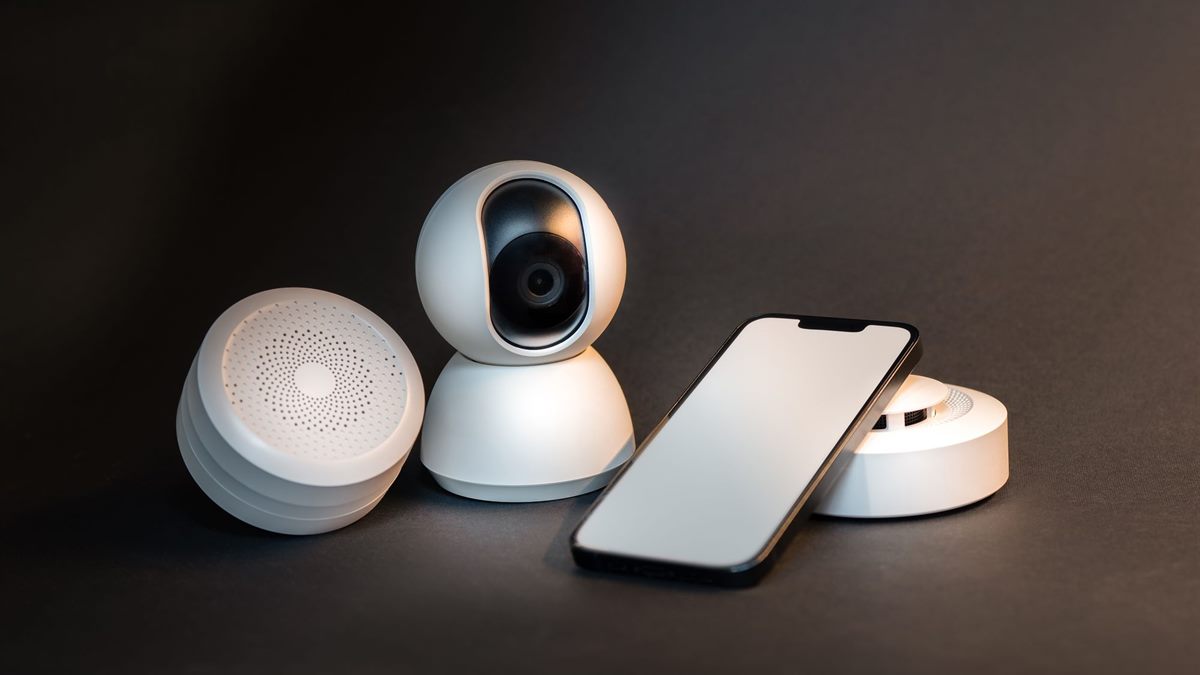
One controller before ten apps
A hub is the device that holds the automation logic and talks to the rest. It can be a dedicated box, a smart speaker with a built-in radio, or a software controller running on a small computer. What matters is that it supports the protocols your devices use and that you are willing to keep using its app.
Write down the control surface you actually want: a phone app, a wall switch, a voice assistant, or a physical remote. A hub that only works through voice is fragile when the network is down or when a guest is in the house.
Check the protocol on the box
Wi-Fi devices are simple to start but crowd the router and often depend on the manufacturer cloud. Zigbee and Z-Wave devices need a hub with the matching radio. Thread devices need a Thread border router. Matter is an application layer that can run over Wi-Fi, Ethernet, or Thread, and it is the reason newer devices claim cross-brand support.
Read the fine print for the exact combination: "Matter over Thread" needs a Thread border router, while "Matter over Wi-Fi" does not. A device that says only "works with Matter" may still require a hub firmware update before it appears.
Matter is a bridge, not a hub
Matter standardises how devices describe themselves and how controllers command them. It does not replace the radio, the app, or the automation engine. A Matter logo means the device can be commissioned by a compatible controller; it does not guarantee that every feature appears in every app.
Feature parity is the practical catch. A light may expose on, off, and dimming through Matter while its manufacturer app still offers effects and power monitoring. If those extras matter to you, choose a hub from the same ecosystem or accept that the standard interface is the one you will use.
Buy the hub your household will use
Consider who else lives there. A hub that requires an account for every adult, or that depends on one phone for setup, creates friction. Guest access, physical switches, and a clear fallback when the internet fails are not luxury features; they are what keeps the system usable.
Security belongs in the decision too. The device will sit on your home network for years, so choose a vendor with a patch history and change the default password. The CISA cybersecurity guidance covers the basics of securing connected devices at home.
Start with lights and a plug
Lights are visible and easy to reverse. A smart plug is the cheapest way to test automations without committing a fixture. Add a sensor only when you have a routine that needs it, and add a camera last, after you have decided where the recordings live and who can see them.
Keep the first month small: one room, three devices, two routines. If the hub cannot run those reliably, adding more devices will not help. It will only make the failure harder to diagnose.
Set a local-first default
Look for local control in the product documentation. A routine that runs on the hub keeps working when the internet is down; a routine that runs in the cloud does not. This matters for lights, heating, and anything that needs to work at night.
Local control also reduces latency. A motion-triggered light that waits for a round trip to a data centre feels broken even when it eventually works. Test the delay before you build a routine around it.
Hub-first checklist
- Pick the controller and the app before the first device.
- Match the radio: Wi-Fi, Zigbee, Z-Wave, or Thread.
- Confirm Matter support on both the hub and the device firmware.
- Check that schedules run locally when the internet drops.
- Start with one room and two routines, then expand.
Once the hub is in place, the next useful device is usually a smart plug. The routines that make it worth owning are covered in smart plug routines.

Frequently asked questions
Do I need a hub if my devices support Wi-Fi?
Not always, but a hub gives you one automation engine and often local control. Without one, each brand may require its own app and cloud account, and routines can stop when the internet or the vendor service fails.
Is Matter the same as Thread?
No. Matter is an application layer that standardises device communication. Thread is a low-power network protocol that Matter can run over. A Matter device may use Wi-Fi or Thread, and Thread devices need a border router.
Which hub should I buy first?
Choose the one that supports the protocol your planned devices use and the control surface your household will actually operate. Check local automation support and the vendor patch history before the feature list.
Can I mix brands in one smart home?
Yes, especially with Matter, but feature support varies by app. Basic on, off, and dimming usually carry across; manufacturer-specific effects and energy data may not.
Read next
Smart Plug Routines That Save Energy Without Chaos
A smart plug is a switch with a schedule. Use it for lamps, chargers, and standby loads, and leave anything that must never lose power alone.